I built a working multi-user web app, DevPortPro, from plain-English prompts in Lovable. Accounts, password resets and per-user public URLs all work. But the three hardest parts, data isolation, authentication and routing, each broke on the first attempt. AI removed most of the syntax work, but I still had to define requirements, spot failures, and describe them precisely. Lovable is excellent for validating an idea. Before real user data goes in, it needs a security check.
We are in an incredible era for AI-assisted development. Between Claude’s live-rendering Artifacts, Gemini’s massive context windows, and ChatGPT’s reasoning “dots”, where the model pauses to “think” and map out complex logic before writing a single line of code, these technologies are fundamentally transforming how we handle content creation, automation, and full-scale app generation.
The website application I built is called DevPortPro, a platform designed to help developers and professionals generate recruiter-ready portfolios to get hired faster. But what makes this milestone truly special isn’t just the launch itself, it’s how I built it.
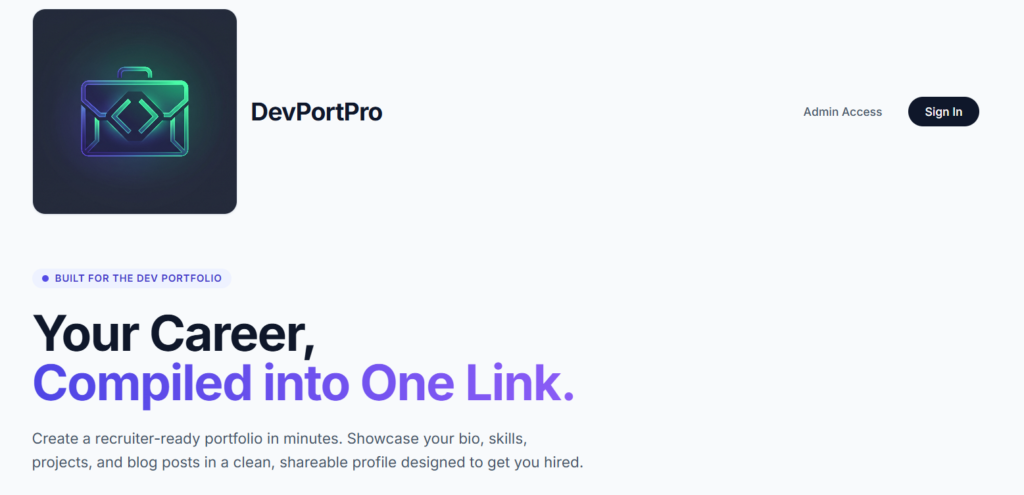
DevPortPro: HomepageWhat DevPortPro is
DevPortPro helps developers and professionals create a recruiter-ready portfolio with its own shareable link here: DevPortPro
I started from a simple problem: people need one clean place to show their projects and writing to recruiters and ended up with a good first AI generated website application.
- Build Time: 8 – 10 hours
- Tool: Lovable
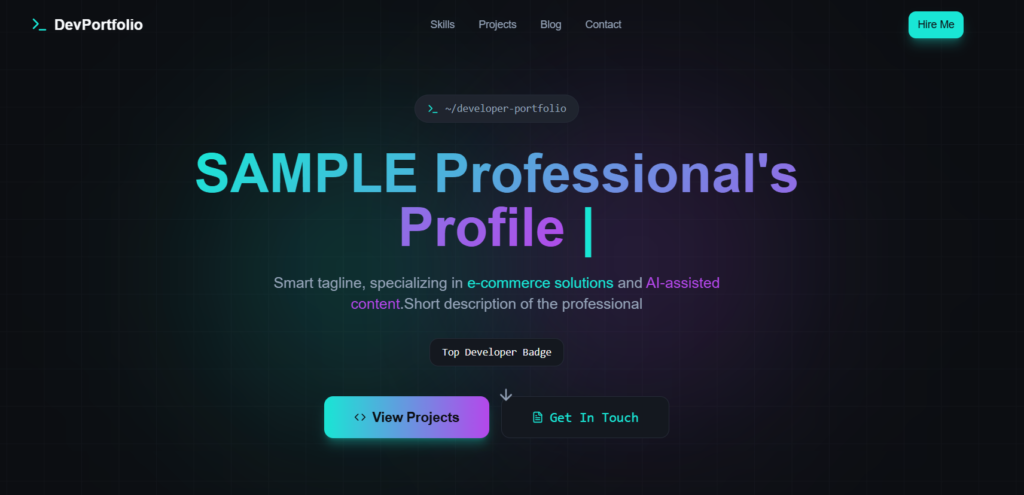
DevPortPro: Sample Portfolio
How I Built DevPortPro
Phase 1: One prompt, one working scaffold
My first prompt was deliberately simple:
“Create a basic website that allows a user to showcase their portfolio. It needs to include a section for projects and a section for blog posts, and all of this data needs to be manageable from a backend dashboard.”
Lovable returned a working interface, a backend connection and a dashboard layout. Describing the outcome (what the user sees and manages) rather than the technology was enough at this stage. A scaffold like this is where AI app builders are strongest.
Phase 2: Moving from one user to many
If one person could use this to get hired, others could too. So I asked Lovable to add accounts so each person could manage their own portfolio.
This is where it broke. User data wasn’t separating correctly, and the backend logic became tangled. I didn’t debug by hand. I described the failure back to the AI and told it to isolate each user’s data by their authentication ID.
Why this matters: Data isolation is the most important security property of any multi-user app. A bug here means one user could see or edit another’s data. Lovable apps typically use Supabase.
Testing: Since it didn’t work as expected the first time, this part took some manual testing to ensure each user data was not being overwritten and that every user’s data entry had a unique record.
Phase 3: Password reset
Real users forget passwords, so I asked Lovable for a password reset flow. It generated the “Forgot password” screen, the email link and the database update. But that did not work as expected, hence I put an alternative password reset in place.
Phase 4: A unique URL for every user
A portfolio is useless if you can’t send it to a hiring manager, so I asked for dynamic routing: one distinct URL per user. The first version broke, with URLs failing or loading the wrong data. I fed the exact error behaviour back to Lovable and gave specific instructions on handling the URL parameters. The corrected version worked.
Loading the wrong data on a URL is worth noting. It is the same class of problem as Phase 2, because the question is always “who is allowed to see what?”

DevPortPro: Developer Profile Settings
Decision framework: prototype, harden, or rebuild?
| Situation | Recommended Path | Why |
| Validating an idea; no personal data | Keep prototyping in Lovable | Speed matters more than hardening |
| Real users, low-sensitivity data | Run the checklist; get a code and security review | Data isolation failures are the main risk |
| Payments, health, financial or regulated data | Engineering-led build or full audit | Compliance and liability exceed what prompts can verify |
| Complex backend logic, integrations, scale | Plan a custom architecture | Frontend-heavy generated apps can hit limits |
Is a Lovable app safe for production?
While AI drastically lowers the barrier to building functional software, an app generating clean code is not inherently a secure app. AI excels at rapid prototyping and generating standard security checklists like reminding you to implement CORS, sanitize database inputs, or configure row-level security. However, AI models lack contextual awareness of your specific live environment and cannot definitively confirm if vulnerabilities exist in your compiled architecture.
Therefore, you should never treat an AI’s “all clear” as a substitute for rigorous security audits. Instead, use the AI-generated checklist as a starting point for manual testing. Every security measure the AI claims to have implemented must be independently verified against primary, up-to-date documentation from your framework, database, or hosting provider. Ultimately, AI is a powerful pair-programmer for the heavy lifting of coding, but the final responsibility for user data protection always rests on the human developer.
Next step
If you’re validating an AI project idea, Developers Pub can help. If you already have an AI-built app heading toward real users, Developers Pub can help too.
Try DevPortPro and see what a prompt-built app can do.
Need help publishing professional technical content? Developers Pub can help with that too.